
What it does
DeckCal reads your Google Calendar and puts it where you cannot miss it: on the keys in front of you.
A key shows a countdown to your next meeting, or the time remaining in the one you are already in. A blue bar closes the gap to the next meeting, a yellow fill creeps across the key over the last few minutes, and a green fill tracks time elapsed once the meeting is under way. Press the key to join.
Give it more than one key and the fills span the whole group as a single band, turning a row or a block of keys into one countdown bar you can read from across the room.
Multi-key sweep
Several DeckCal keys side by side draw one band between them instead of a bar each. The yellow run-up fill and the green in-meeting fill span the whole group, each key painting its own slice. Five in a row give you a countdown bar the width of the deck. Stack them and it gets taller, because any block of touching keys joins in.
Mix Meeting countdown and Meeting alert keys to pick which ones carry the text and which are pure bar. Nothing to configure: keys join a band when they touch and count down to the same meeting, so it forms and dissolves on its own.
At a glance
-
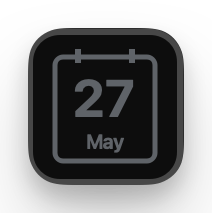
Idle Nothing on the calendar today any time soon.
-
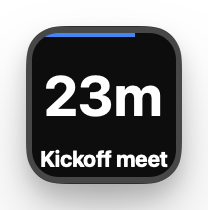
Countdown Time remaining to the next meeting, with a blue bar.
-
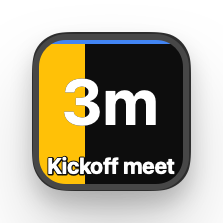
Imminent In the last 5 minutes a yellow block gradually fills the key.
-
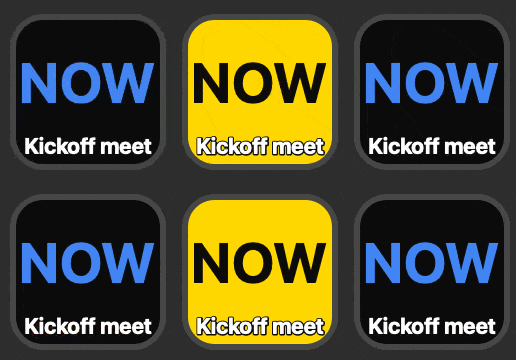
Meeting starts Flashes
NOWuntil you press. Pressing joins the meeting. -
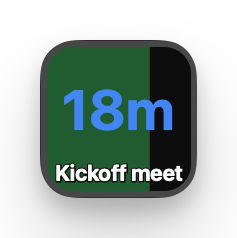
In the meeting Time remaining, with a green bar showing time elapsed.
-
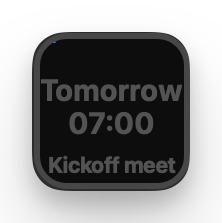
Beyond today Distant events are dimmed and show a time of day instead of a countdown.
-
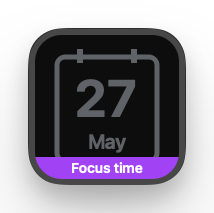
Focus time Purple footer band, so you can still see the next regular meeting.
-
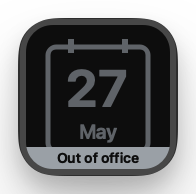
Out of office Grey footer band, so you can still see the next meeting.
Two actions
-

Meeting countdown
Countdown text, progress bars, press to join. A Show setting picks whether it follows the meeting you are in, the next one, or whichever is most relevant.
-

Meeting alert
The same bars, no text, blank until a meeting is close. It widens the band without repeating the countdown. Long press joins the meeting.
Features
-
Live countdown
Time remaining to (or within) a meeting, refreshed every second, with a coloured bar that fills as the meeting elapses.
-
Multi-key sweep
The yellow run-up fill and the green in-meeting fill span every touching DeckCal key as one band, so a countdown can be as big as you want it.
-
Press to join
Short press opens the current Google Meet, Zoom, or Teams meeting, in a browser or an app of your choosing. Long press opens the meeting's first attached doc.
-
Multiple accounts
Sign in with one or more Google accounts and tick exactly which calendars feed the countdown.
-
Special events
Out of office and focus time events get their own footer band, so you can still see your next regular meeting.
Install
Install DeckCal from the Elgato Marketplace. Stream Deck installs the plugin and adds the two DeckCal actions to its action list. Drag one onto a key, then use the sign in button in the key's settings panel to connect a Google account.
Privacy
DeckCal asks for one Google permission:
calendar.readonly
(read only access to your calendar). It needs that to know when your
next meeting starts, so it can count down to it on the key and open
the join link when you press. It cannot create, change, or delete
anything in your calendar.
DeckCal runs entirely on your own machine. There is no backend, no analytics, and no tracking. Your calendar data never leaves your computer, is never shared with anyone, and is never used for advertising or to train AI models.
Sign in uses a loopback PKCE flow (RFC 8252), so your Google credentials are only ever handled by Google itself. Read the full DeckCal privacy policy.